FLYGLYPH Download

Write in the sky with your flight track.

  • iPhone
  • iPad
  • Mac with Apple silicon

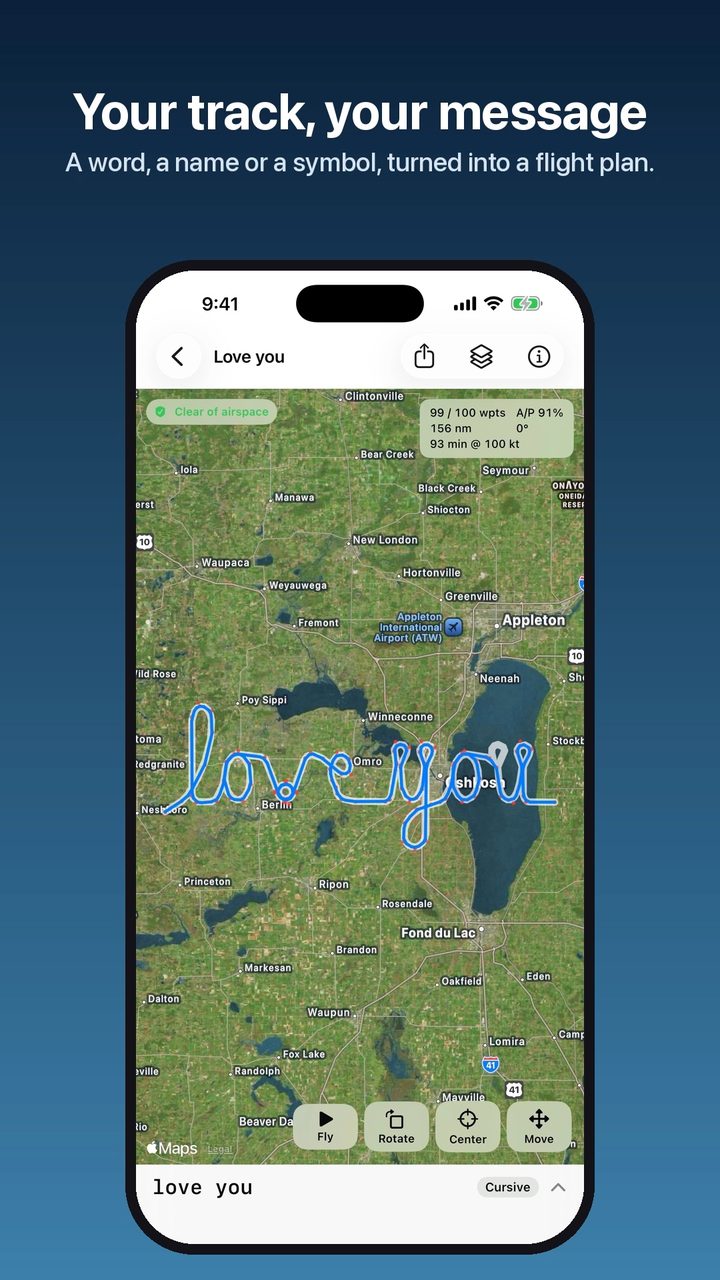
Type a word, a name or a heart. FlyGlyph turns it into a flight plan your autopilot can fly, or you can hand fly, sized for your aircraft. On FlightAware and Flightradar24, your track spells it out for everyone to see.

Download on theApp Store

$3.99 once · 3-day free trial
No subscription · no account

Watch the walkthrough 1:36
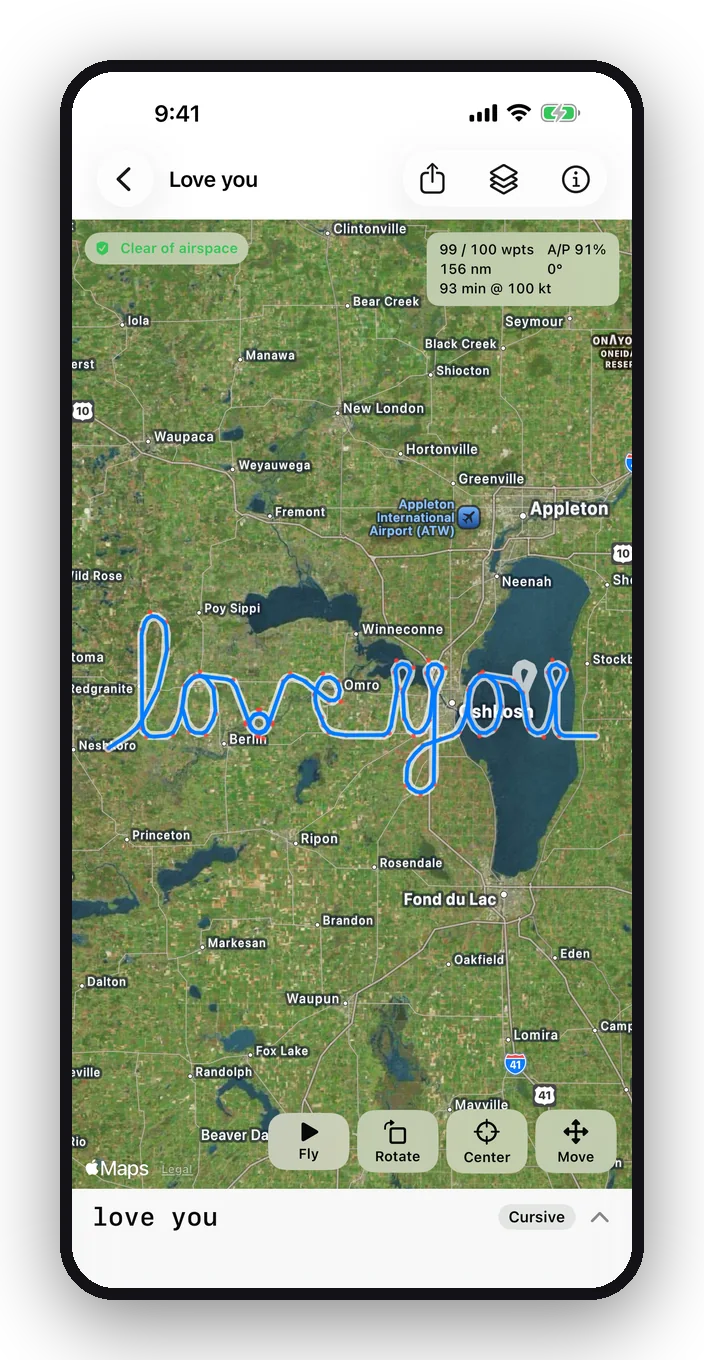
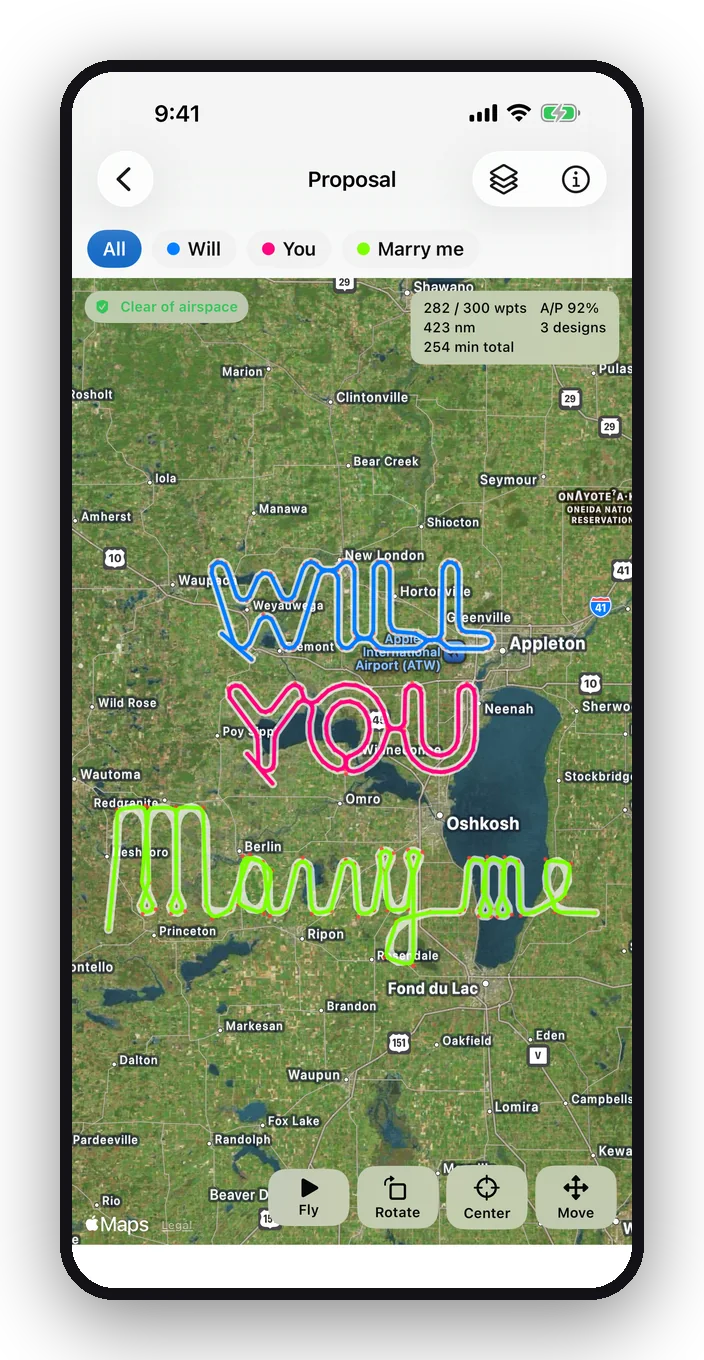
FlyGlyph showing “love you” in cursive over Lake Winnebago, Wisconsin A folder spelling WILL YOU Marry me down the map in three colors
100 waypoints / plan Turn radius from TAS + wind + bank Bubble · Line · Cursive · Symbols FAA sectionals Live airspace check Export .fpl · .gpx · .kml · .csv

How it works

From a word to a track in four steps

  1. Type it

    Up to 4 bubble letters, or 7 in line or cursive lettering. Or pick one of 24 symbols.

  2. FlyGlyph plans it

    Letters are sized so every turn stays inside your autopilot's bank limit at your speed plus a wind allowance. The result fits in one 100-waypoint flight plan.

  3. Place it

    It starts over your home airport or where you are. Drag, resize and rotate it on satellite or the FAA sectional while the airspace check shows what it flies in or near.

  4. Fly it

    Export a flight plan to your EFB, send it to the panel GPS and engage the autopilot. Tracking sites draw the rest.

Walkthrough

See the whole app in under two minutes

The real app, recorded on an iPhone: type a word, switch styles, pick a symbol, set up your aircraft, place it, watch the airspace check react, preview the flight and export it for the panel.

Watch the walkthrough

Features

Built around how airplanes actually turn

Every design is checked against the physics of your aircraft before you see it, then flown in a simulator so you know how faithful the track will be.

Preview

See every turn before you fly it

Tap Fly and a plane flies the whole design, entry to exit, at 100× to 1000× real time. The A/P score tells you how closely an autopilot will follow the planned shape.

  • Predicted track from a simulated autopilot, including your bank limit
  • Track length and flight time at your cruise speed
  • Pick the plane icon, its size and color
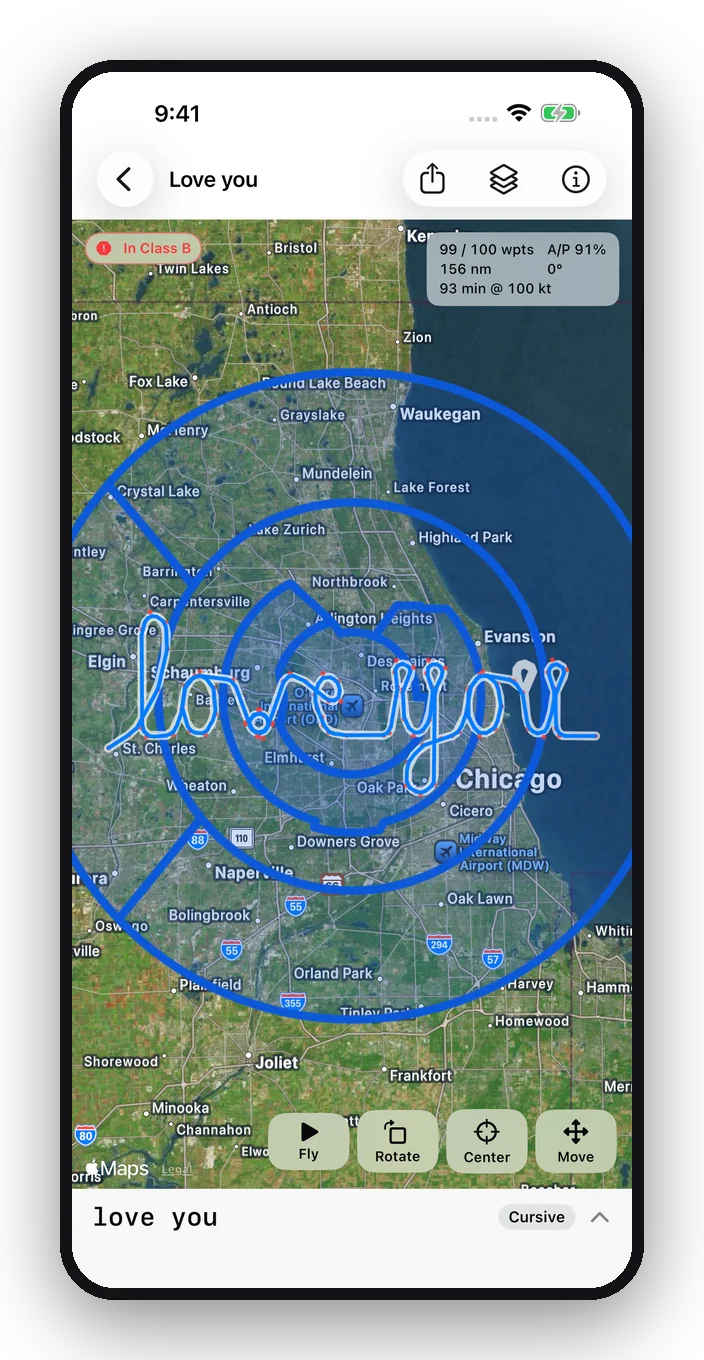
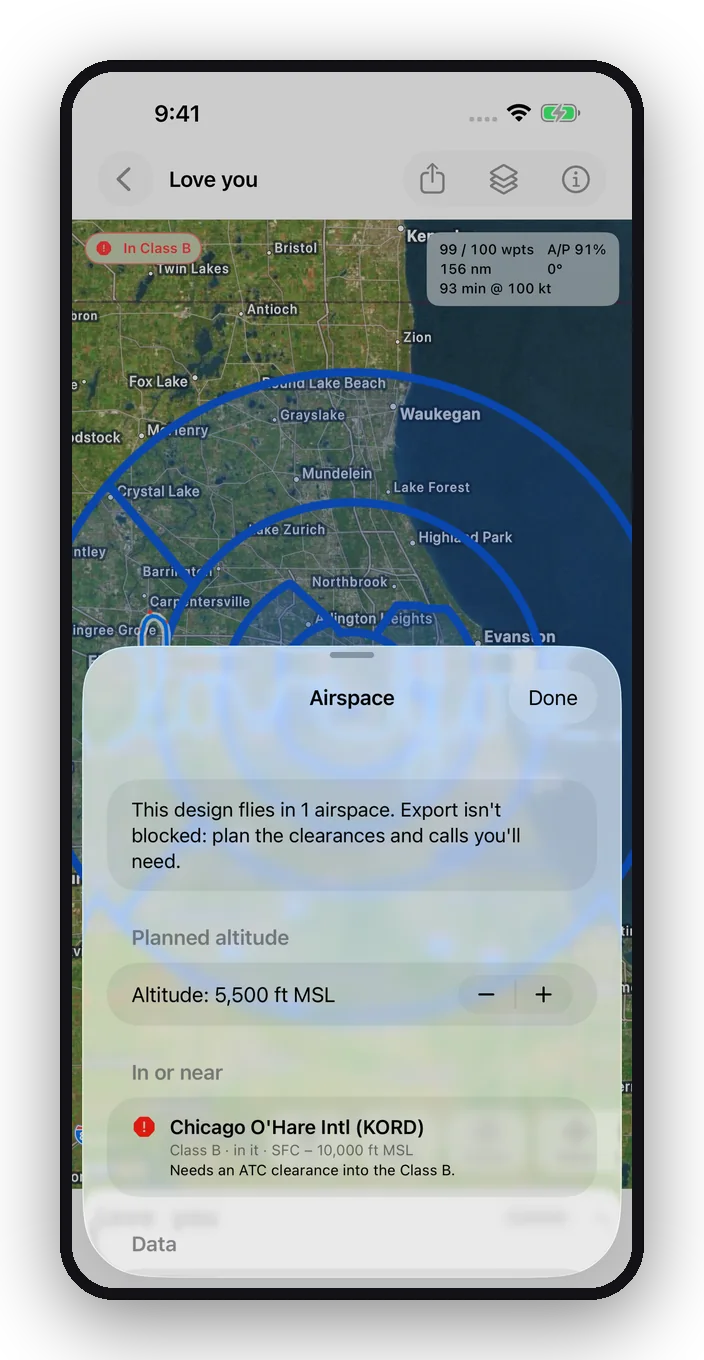
“love you” in cursive over Chicago, inside O'Hare's Class B: a red “In Class B” alert and the Class B rings outlined on the map

Airspace

Know your airspace before you fly it

FlyGlyph checks the predicted track at your planned altitude against FAA Class B, C and D airspace and special-use areas: prohibited, restricted, MOAs, warning and alert areas. The pill on the map turns red, orange or yellow and the airspace is outlined right under your design.

  • In it, or within 1 nm and 300 ft of it, so you're never surprised by a shelf
  • Updates live as you move, resize, rotate or change altitude
  • FAA data, refreshed automatically every 28-day cycle
The Airspace details: Chicago O'Hare Intl (KORD), Class B, in it, surface to 10,000 ft MSL, needs an ATC clearance

Airspace details

Every airspace by name, with what it takes

Tap the pill for the list: the airport or area by name, whether you're in it or how far away, its floor and ceiling, and what it needs, from a Class B clearance to radio contact with a tower. Change the altitude right there and watch it update.

  • Class B, C and D named by their airport (KORD, KMKE, KOSH…)
  • Part-time airspace flagged so you check NOTAMs
  • Listed again on the Details page and at export, which it never blocks
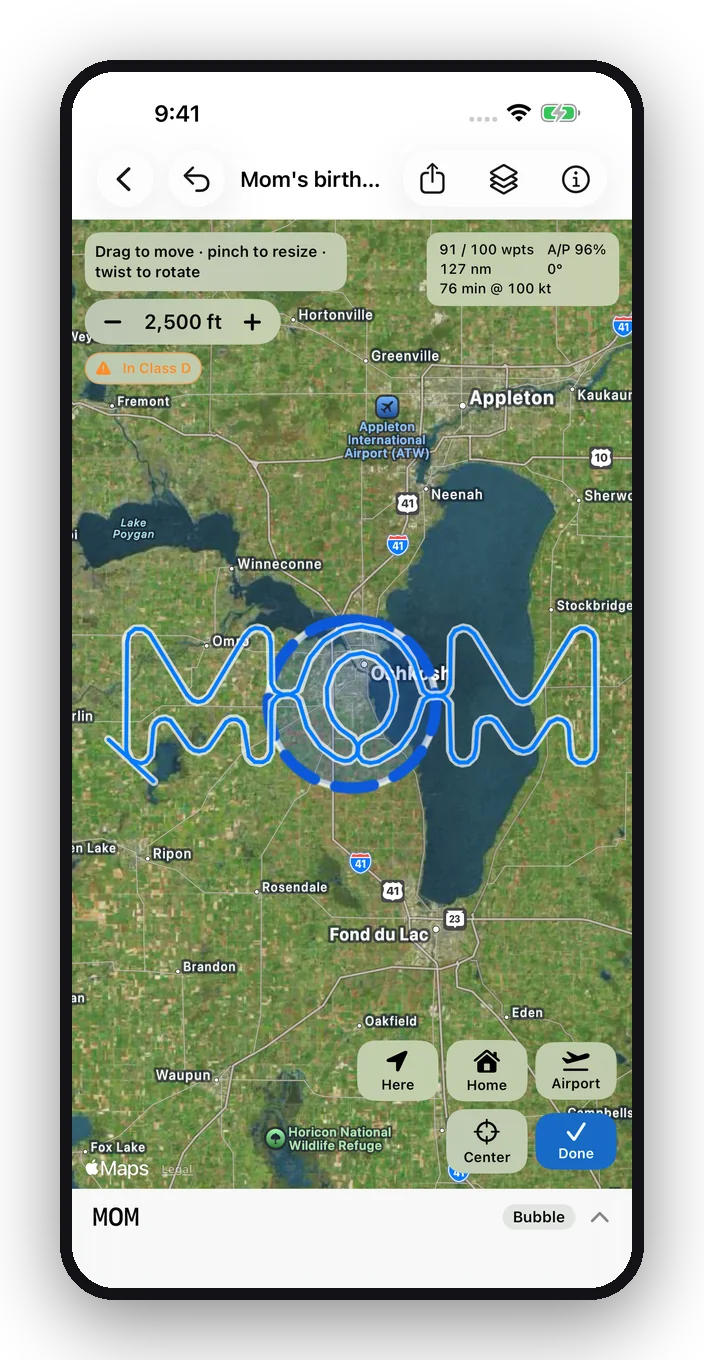
MOM over Oshkosh in Move mode: altitude 2,500 ft, an orange “In Class D” alert, the Class D outlined, and Here, Home and Airport buttons

Move

Put it anywhere in one tap

In Move, jump the design to where you are, to your home airport, or to any US airport you search for. Step the altitude up or down and the airspace check keeps up as you go.

  • Here · Home · Airport, for a design or a whole folder
  • Altitude − / + in 500 ft steps, shown on every design in your list
  • Undo and Redo for every move
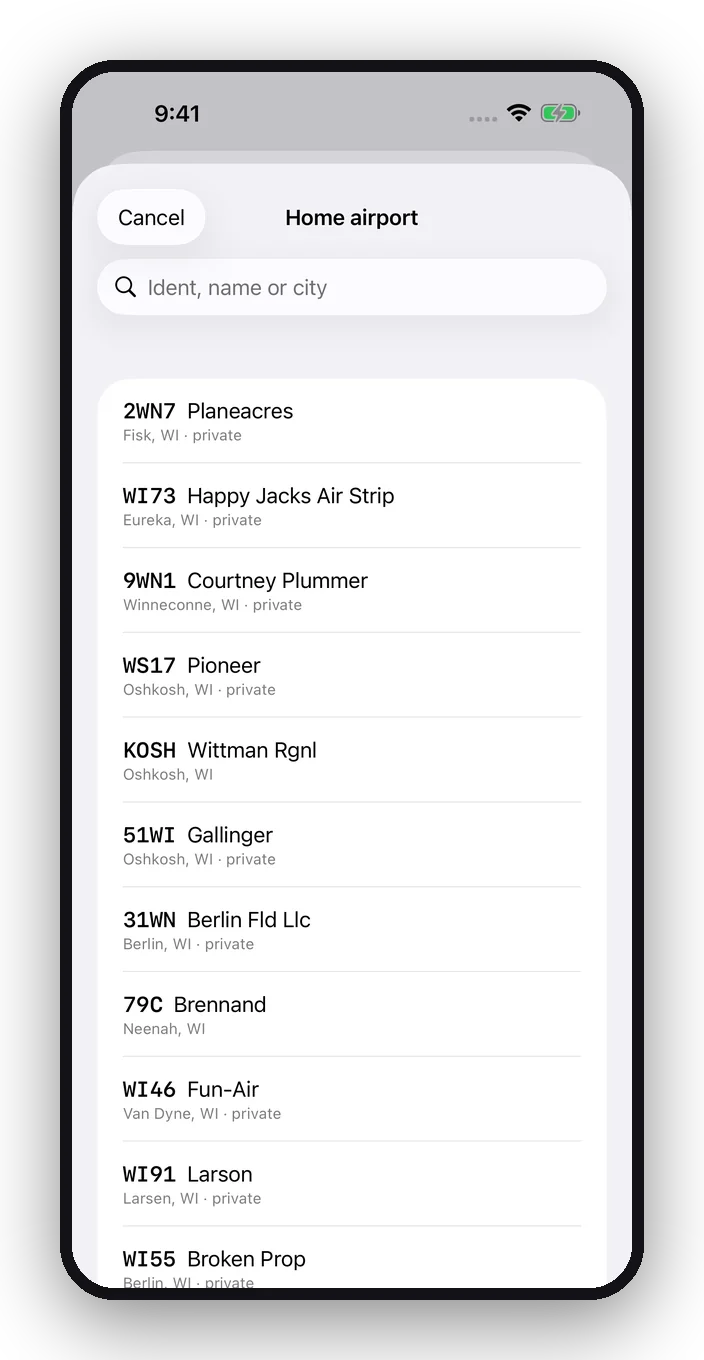
Choosing a home airport: the airports nearest Oshkosh, Wisconsin, with a search field

Home airport

Start every design at your home airport

Give your aircraft a home airport and new designs start right over it, ready to place. Search more than 12,000 US airports by identifier, name or city, or pick from the ones nearest you.

  • Or start at your current location instead, your choice in Settings
  • Public and private fields from the FAA's airport data
  • Kept with your aircraft profile and in backups
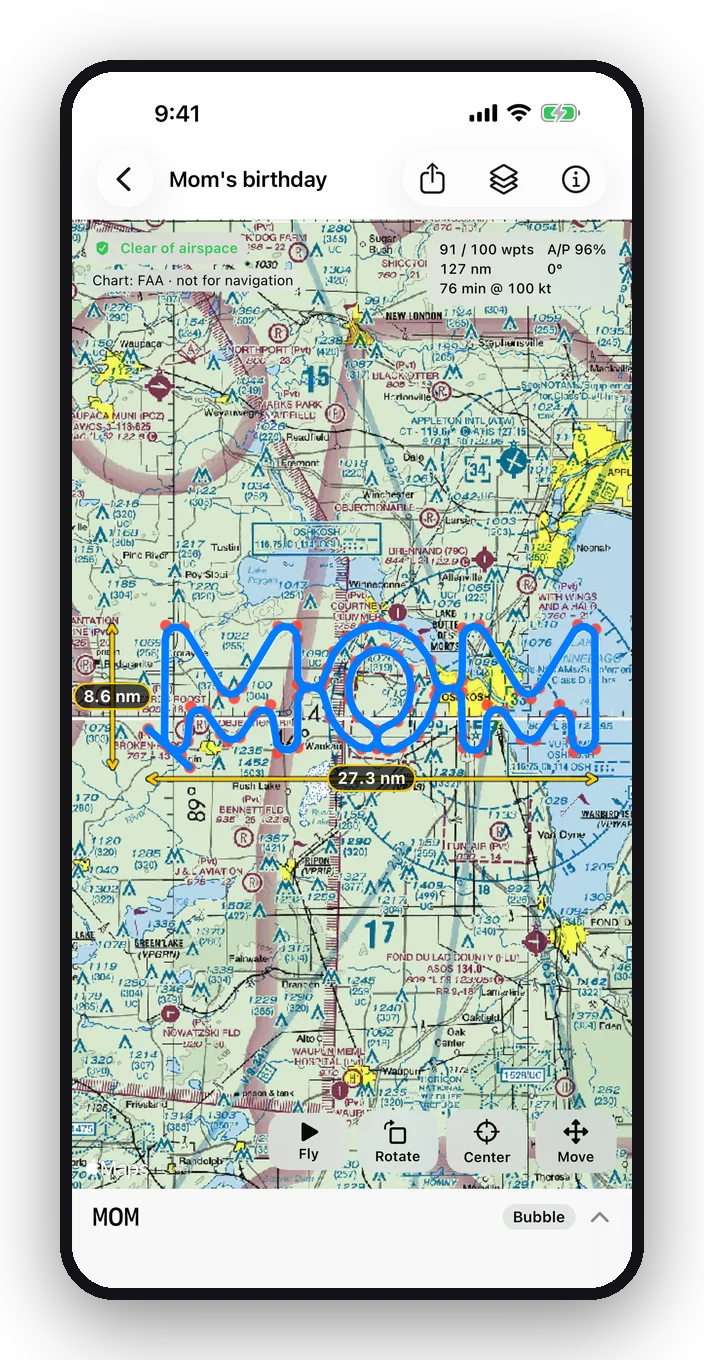
The word MOM over the FAA sectional chart near Oshkosh, with height and width in nautical miles

Charts

FAA sectionals, right under your design

Switch on the VFR sectional to see airspace, towers and airports around your design, or use satellite imagery. Height and width lines give the size in nautical miles and turn with the design.

  • Official FAA chart tiles, updated every 56-day cycle
  • Move, pinch, twist, or rotate 90° with one tap
  • Center brings the design back into view
Three designs lined up in a folder: WILL, YOU, Marry me

Folders

Go big: line up longer messages

Put up to three designs in a folder and see them together, each in its own color. Move the whole set or one design at a time. Each stays its own flight plan, so you fly them one after another.

  • Select and Merge, or drag one design onto another
  • Totals for waypoints, track and time
  • Height and width of the whole folder
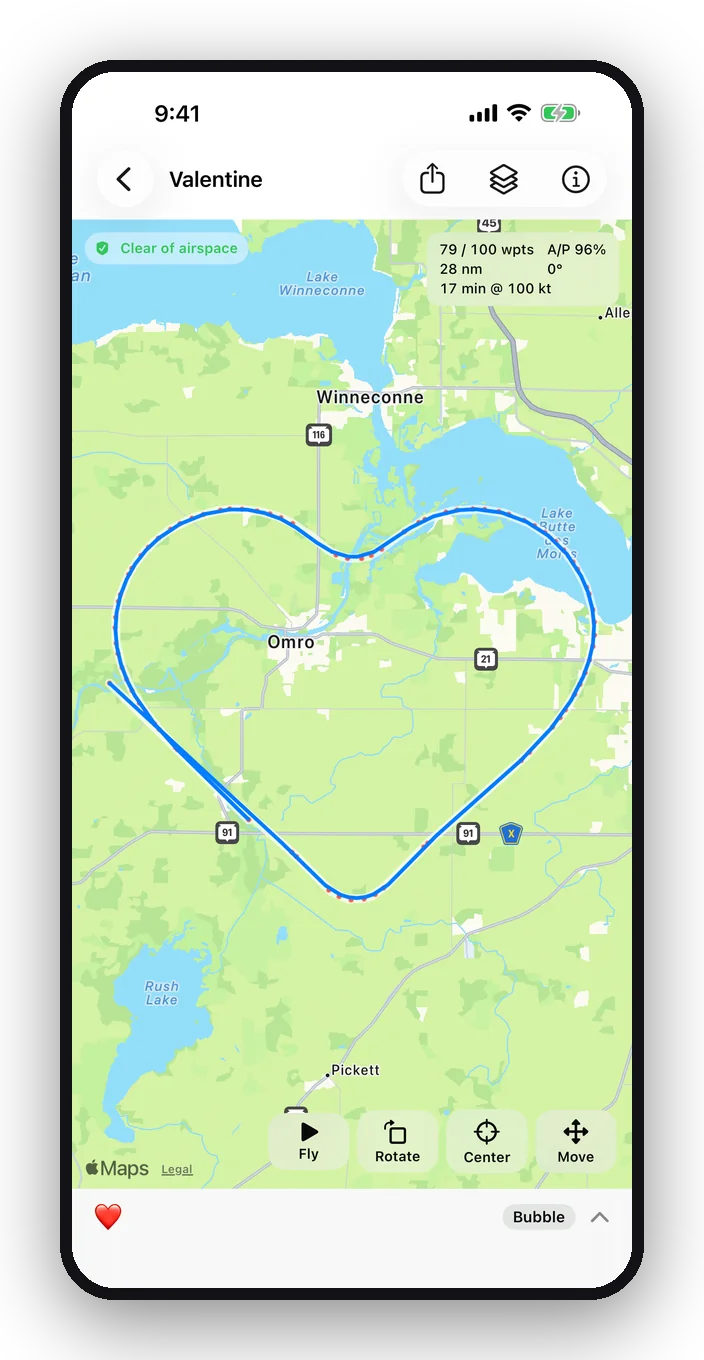
A heart-shaped flight track over Omro, Wisconsin, on the plain map

Symbols

24 symbols, in one tap

Not every message needs words. Choose Symbols and pick a shape: ❤️ ⭐ 💕 💔 💋 💍 💎 👑 🍀 🌙 ☁️ ☂️ ⚡ ♾️ 🐟 ✈️ 🛸 ✂️. FlyGlyph plans a smooth track your autopilot can follow, sized for your aircraft like any design.

  • Each symbol fits in one flight plan and flies at 90% or better A/P
  • Switch satellite off for a clean map that makes the shape stand out
  • Put one in a folder with your message, or add a heart or star after a bubble or line word
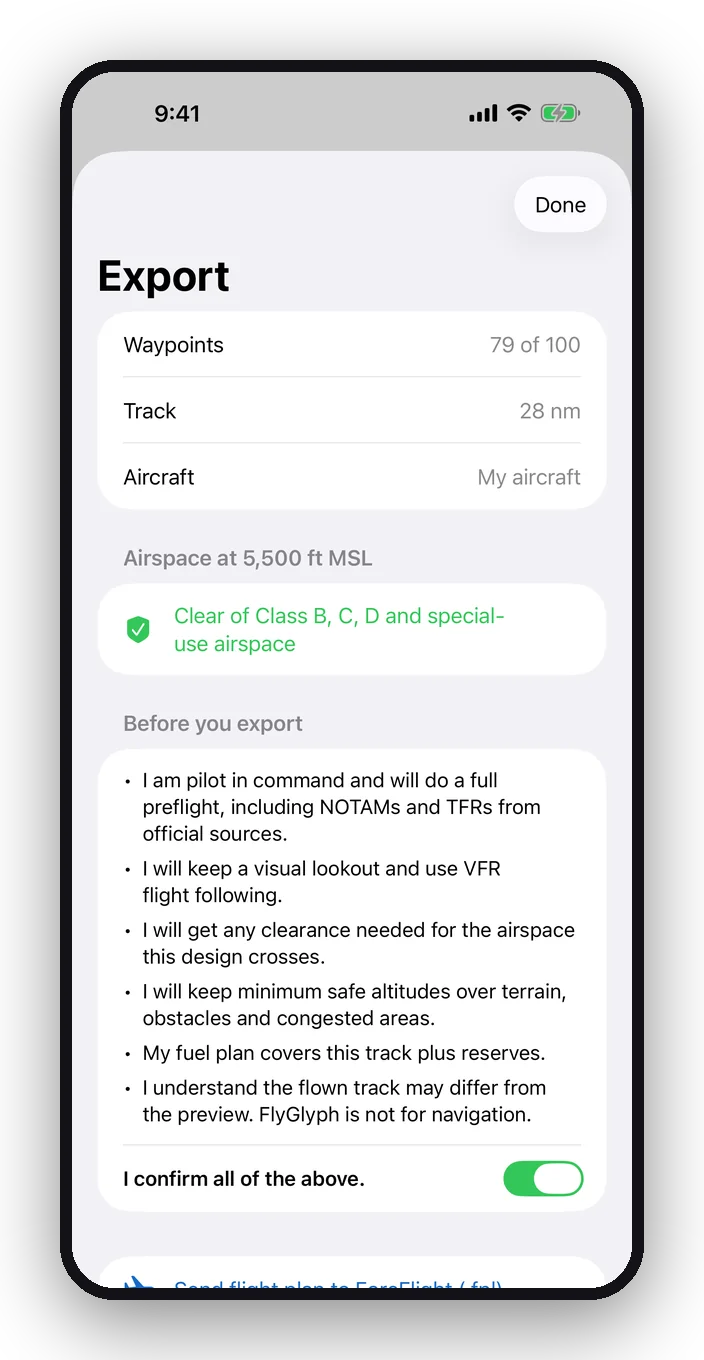
Export screen with the pilot-in-command checklist and share buttons

Export

Straight to your EFB and panel GPS

Export a Garmin-format .fpl flight plan to ForeFlight or another EFB, then send it to any panel GPS that takes 100 waypoints per plan. GPX, KML and CSV come along too.

  • One pilot-in-command acknowledgement before every export
  • Waypoint count shown before you send
  • Works with the share sheet: Files, AirDrop, mail
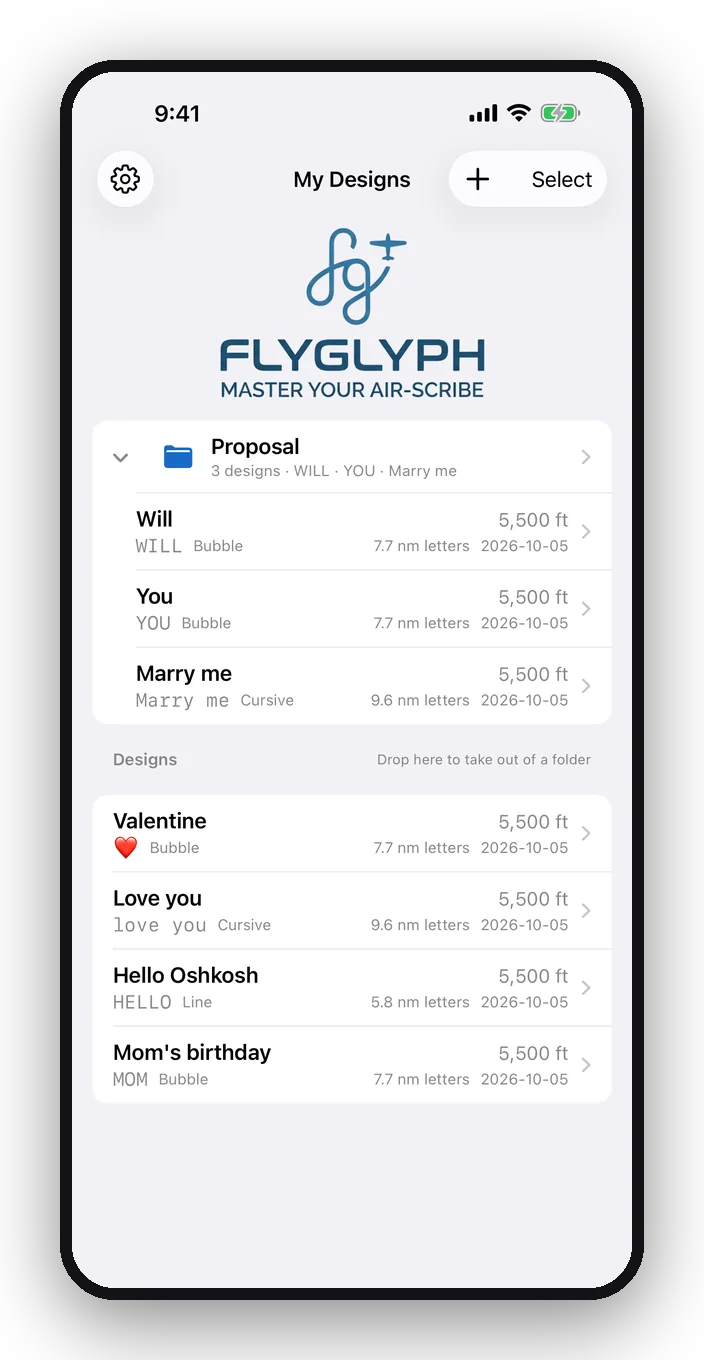
My Designs list with a Proposal folder and saved designs

Your hangar

Saved, named, yours

Every design is saved on your device with the name you give it. Duplicate one for another airport, undo the last change, and back everything up to a single file.

  • No account and no data collected
  • Undo and redo
  • Backup and restore in Settings

Why pilots use it

A reason to go flying, and a way to be seen

Moments people remember

A proposal, a birthday, a welcome home, a tribute. Send friends a FlightAware link and they watch it appear.

Flyable by design

No hand-drawn waypoints that the autopilot can't follow. Turns respect your bank limit, and plans never overlap turns or exceed 110°.

Sized for your airplane

Enter cruise speed, autopilot bank limit and a wind allowance. A 100-knot trainer and a fast single get different letter sizes.

Fits your avionics

Most modern GA panel GPS navigators accept 100 waypoints per flight plan. FlyGlyph plans every design to fit.

Planning that makes sense

Sectional underneath, live airspace check, size in nautical miles, flight time and track length. Everything you need to brief it.

Private by default

No sign-up, no tracking, no cloud account. Your designs stay on your iPhone, iPad or Mac.

Pricing

One price. Yours to keep.

Try every feature free for 3 days. If you like it, unlock it once for $3.99. No subscription, no renewals, no account. After the trial your saved designs stay viewable either way.

$3.99one time
  • 3-day free trial with every feature
  • Bubble, line and cursive lettering, plus 24 symbols
  • Fly preview, sectionals, folders
  • Live airspace check with FAA data
  • Export .fpl, GPX, KML and CSV
  • iPhone, iPad and Apple silicon Mac
Download on theApp Store

Questions

Before you take off

Which GPS do I need?

Any panel GPS that accepts 100 waypoints per flight plan, which covers most modern GA navigators. FlyGlyph plans every design to fit within 100.

How big are the letters?

It depends on your speed and bank limit. At 100 knots with a 20° bank and a 20-knot wind allowance, bubble letters are about 7.7 nm tall, line letters about 5.8 nm and cursive capitals about 9.6 nm. Fly slower and they get smaller.

How do I get the plan into the airplane?

Export the .fpl file and open it in ForeFlight or another EFB that imports Garmin flight plans, then send it to the panel GPS. GPX, KML and CSV are included for other tools.

No autopilot? What can I do?

Hand fly it. Load the flight plan into ForeFlight (or your EFB) and follow the magenta line on the moving map, or the panel GPS's course guidance. It's a great workout for the old stick-and-rudder skills: smooth, coordinated turns at a steady bank and speed. Plan at the bank angle you're comfortable holding, keep your eyes outside, and consider bringing a safety pilot.

Can I write longer words?

One flight plan holds about 4 bubble or 7 line or cursive characters. For longer messages, put 2–3 designs in a folder and fly them one after another.

Does it check airspace?

Yes, in the US. FlyGlyph checks the predicted track at your planned altitude against FAA Class B, C and D airspace and special-use areas (prohibited, restricted, MOAs, warning, alert and national security areas), and shows what it flies in or within 1 nm / 300 ft of. The data comes from the FAA's 28-day NASR cycle and updates automatically. It alerts and never blocks. It doesn't cover TFRs, NOTAMs or whether part-time airspace is active, so check those with official sources before every flight.

How do I get help?

Email support@flyglyph.app or see the support page. A real person reads every message.

Which devices does it run on?

iPhone and iPad, and Apple silicon Macs through the App Store. One purchase covers your devices signed in with the same Apple ID.

Fly safe. FlyGlyph is a planning and creative tool, not a navigation source. Before every flight, check airspace, TFRs, NOTAMs, terrain and fuel with official sources. The pilot in command is responsible for the safe conduct of the flight. The sectional chart layer covers the United States.

Your next flight could say something.

Download on theApp Store

$3.99 once, with a 3-day free trial. No subscription.